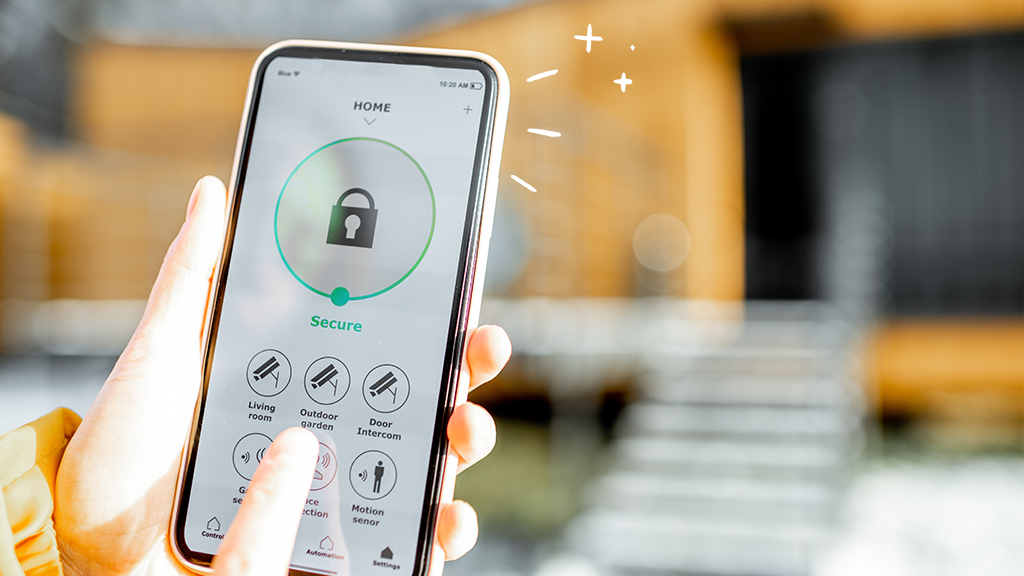
Staying informed about what’s happening in your home is essential for peace of mind and protection. With the rapid evolution of smart technology, setting up instant alerts for safety issues is now easier and more effective than ever. Whether you want to monitor for break-ins, fire, water leaks, or other hazards, a well-configured notification system can make all the difference. This guide will walk you through the essentials of home safety notifications setup, helping you choose the right devices, configure alerts, and ensure your household is always in the know.
Modern systems can notify you of emergencies the moment they occur, allowing you to act quickly and minimize damage. From smart alarms to energy monitors, the right setup can transform your living space into a safer environment. Before diving into the technical steps, it’s important to understand the options available and how they fit into your broader home protection strategy.
For those interested in exploring advanced solutions, you might want to read about next-generation home security systems that offer integrated features and enhanced automation.
Why Real-Time Safety Alerts Matter
Immediate notifications are a cornerstone of any effective security strategy. When you receive alerts the moment an incident occurs, you can take action—whether that means calling emergency services, contacting a neighbor, or triggering automated responses like locking doors or shutting off utilities. This proactive approach can prevent small issues from becoming major disasters.
Beyond emergencies, timely alerts can also help you monitor daily routines, track energy usage, and ensure vulnerable family members are safe. The flexibility of modern systems means you can customize what triggers a notification, who receives it, and how it’s delivered—via app, text, email, or even voice assistant.
Choosing the Right Devices for Your Notification System
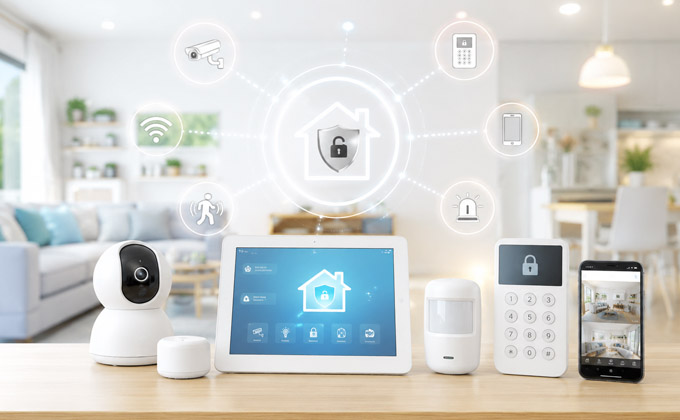
Setting up a robust home safety notifications setup starts with selecting the right mix of devices. Here are some key components to consider:
- Smart Alarms: These detect intrusion, smoke, carbon monoxide, or water leaks and send instant alerts to your phone.
- Motion Sensors: Ideal for monitoring entrances, hallways, and sensitive areas, these sensors can trigger notifications for unexpected movement.
- Energy Monitors: Track abnormal power usage or outages and notify you of potential electrical hazards.
- Video Doorbells & Cameras: Provide real-time video feeds and alerts when someone approaches your property.
- Environmental Sensors: Monitor temperature, humidity, and air quality, alerting you to conditions that could affect health or safety.
Many of these devices can be integrated into a single platform, allowing for centralized control and streamlined notifications. Compatibility with your smartphone and preferred smart home ecosystem (like Alexa, Google Home, or Apple HomeKit) is also important for seamless operation.
How to Configure Your Home Safety Notifications
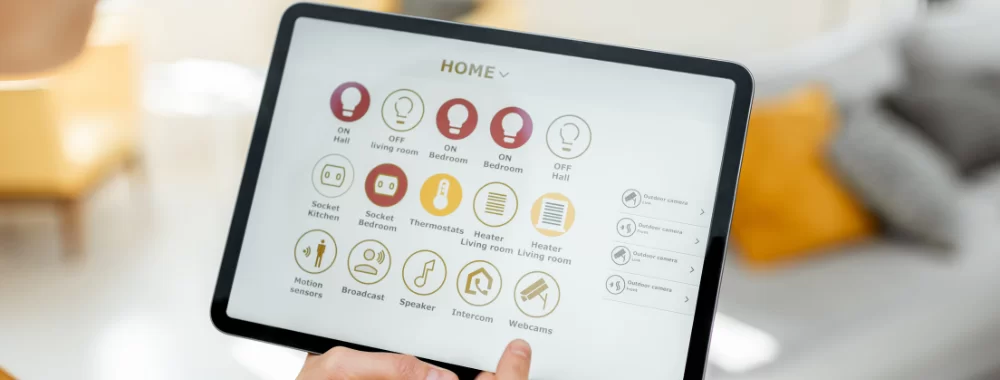
Once you’ve chosen your devices, the next step is to set up your notification preferences. Here’s a step-by-step approach:
- Install and Connect Devices: Follow manufacturer instructions to install sensors, alarms, and cameras. Connect them to your home Wi-Fi and ensure they’re visible in your smart home app.
- Customize Alert Settings: Use the app to define what events trigger notifications. For example, you might want alerts for motion detected at night, smoke alarms, or water leaks in the basement.
- Select Recipients: Decide who should receive each type of alert. Many systems allow you to add family members or trusted contacts.
- Choose Delivery Methods: Set whether notifications arrive via push notification, SMS, email, or even automated phone calls.
- Test Your Setup: Simulate events to ensure you receive alerts promptly and can respond as needed.
Regularly review and update your settings, especially after adding new devices or if your household changes. This ensures your system remains effective and everyone stays informed.
Integrating Notifications with Broader Home Protection
For a truly comprehensive approach, consider how your alert system fits into your overall home safety strategy. Integration with other smart home solutions can automate responses and provide additional layers of protection. For instance, a triggered smoke alarm can automatically unlock doors for emergency responders or shut off HVAC systems to slow the spread of smoke.
Explore the benefits of combining notifications with smart homeowner solutions for energy management, hygiene, and more. This holistic approach not only keeps you informed but also helps you take immediate, effective action when it matters most.
Best Practices for Effective Notification Management
To maximize the value of your home safety notifications setup, keep these best practices in mind:
- Prioritize Critical Alerts: Configure your system to distinguish between urgent and non-urgent notifications, so you’re not overwhelmed by minor updates.
- Maintain Device Health: Regularly check batteries, Wi-Fi connectivity, and firmware updates to ensure your devices work reliably.
- Review Notification Logs: Most systems keep a history of alerts. Use this data to spot patterns or recurring issues that may need attention.
- Educate Household Members: Make sure everyone understands how alerts work and what actions to take when they receive one.
- Integrate with Professional Monitoring: Some systems offer optional monitoring services that can dispatch emergency responders if you’re unavailable.
By following these guidelines, you can create a notification system that’s both effective and unobtrusive, keeping your household safe without unnecessary interruptions.
Expanding Your Home’s Safety Net
As technology continues to advance, new features and integrations are constantly emerging. For example, combining your alert system with future of home protection technology can provide predictive analytics, AI-driven threat detection, and even automated maintenance reminders.
For a deeper dive into risk management and proactive protection, consider reading this personal risk management guide for proactive home protection. Staying informed about the latest trends and solutions ensures your setup remains effective as your needs evolve.
Frequently Asked Questions
What types of events can trigger home safety notifications?
Common triggers include motion detection, door/window openings, smoke or carbon monoxide alarms, water leaks, power outages, and abnormal temperature or humidity levels. Many systems allow you to customize which events generate alerts.
Can I receive notifications on multiple devices or share them with family members?
Yes, most modern systems support multiple users. You can add family members or trusted contacts so everyone receives critical alerts, either through the app, SMS, or email.
How do I avoid false alarms or notification overload?
Fine-tune your alert settings to focus on high-priority events. Use features like scheduling, sensitivity adjustments, and notification grouping to minimize unnecessary alerts while ensuring you’re informed about real threats.
Setting up a reliable notification system is a key step toward a safer, smarter home. By choosing the right devices, configuring alerts thoughtfully, and staying up to date with new technologies, you can protect your household and respond to emergencies with confidence.