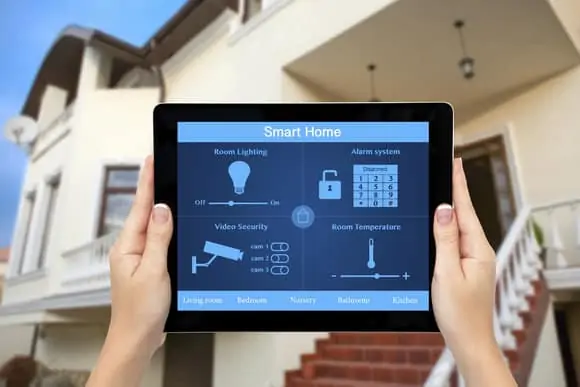
Staying connected to your home is more important than ever. Whether you’re at work, on vacation, or simply running errands, knowing what’s happening at your house provides peace of mind and helps protect your property. Remote access home security apps have become an essential tool for modern homeowners, offering real-time monitoring, instant alerts, and the ability to control security devices from anywhere.
These mobile solutions are transforming the way we secure our living spaces. With just a few taps on your smartphone, you can view live camera feeds, arm or disarm alarms, and even interact with visitors at your front door. As technology advances, these apps are becoming more intuitive, secure, and feature-rich, making them a smart investment for anyone looking to enhance their home’s safety.
For those interested in the latest advancements, exploring next-generation home security systems can provide deeper insights into new features and integration possibilities.
How Mobile Security Apps Work
At the heart of every remote access home security app is the ability to connect your mobile device to your home’s security system via the internet. These apps typically communicate with smart cameras, motion sensors, alarms, and other connected devices installed throughout your property. Once set up, you can:
- Receive instant notifications about suspicious activity or triggered alarms.
- View live or recorded video footage from security cameras.
- Lock or unlock doors remotely.
- Control smart lights and other integrated devices.
- Speak to visitors through two-way audio features.
Most apps support both iOS and Android platforms, ensuring compatibility with a wide range of smartphones and tablets. Some systems even offer web-based dashboards for desktop access, giving you flexibility in how you monitor and manage your home’s security.
Key Features to Look For in Remote Security Solutions
Choosing the right app can make a significant difference in your overall experience and the level of protection you receive. Here are some important features to consider:
- Real-Time Alerts: Immediate push notifications or emails when sensors detect unusual activity.
- Live Video Streaming: Access to high-definition video feeds from your security cameras, day or night.
- Cloud Storage: Secure storage of recorded footage for easy retrieval and sharing.
- Two-Way Audio: Ability to communicate with people at your door or within your home from anywhere.
- Remote Control: Arm/disarm your system, adjust settings, or control smart devices remotely.
- User Management: Grant access to family members or trusted friends with customizable permissions.
- Integration: Compatibility with other smart home platforms and devices for seamless automation.
When evaluating options, prioritize apps that offer strong encryption and regular security updates to protect your data and privacy.

Benefits of Using Remote Access Home Security Apps
Modern security apps offer several advantages that go beyond traditional alarm systems. Here are some of the main benefits:
- Peace of Mind: Know that you can check on your home at any time, from anywhere in the world.
- Immediate Response: Receive alerts and take action quickly if something unusual occurs.
- Convenience: Manage your entire security system from your phone, eliminating the need for multiple remotes or control panels.
- Cost Savings: Reduce the need for professional monitoring services by handling alerts and notifications yourself.
- Integration with Smart Home Devices: Connect security with lighting, thermostats, and other smart devices for a more comprehensive approach to home automation.
For those interested in broader smart home improvements, consider exploring smart homeowner solutions to see how security fits into a connected lifestyle.
Popular App Options and Compatibility
There are many remote access home security apps available, each with its own strengths and supported devices. Some of the most popular options include:
- Ring App: Works with Ring cameras, doorbells, and alarm systems. Offers live video, instant alerts, and two-way talk.
- SimpliSafe: Provides remote arming/disarming, video monitoring, and integration with smart locks and sensors.
- Arlo Secure: Known for high-quality video and advanced motion detection features.
- ADT Control: Integrates with a wide range of sensors, cameras, and smart home devices.
- Vivint Smart Home: Offers a unified platform for security, automation, and energy management.
Before choosing an app, check compatibility with your existing hardware and ensure it supports the features you need. Many providers offer free trials or demo modes, allowing you to test the interface and performance before committing.
Security and Privacy Considerations
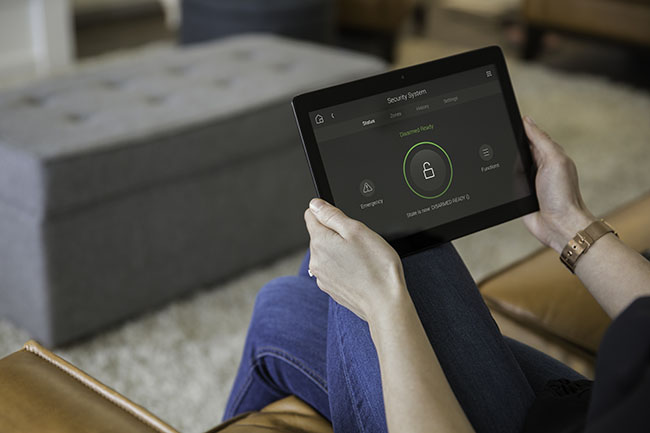
While the convenience of remote access is undeniable, it’s important to address potential security and privacy risks. Here are some best practices to keep your system safe:
- Use Strong Passwords: Create unique, complex passwords for your app accounts and change them regularly.
- Enable Two-Factor Authentication: Add an extra layer of security to prevent unauthorized access.
- Keep Software Updated: Regularly update your apps and device firmware to patch vulnerabilities.
- Review App Permissions: Only grant necessary permissions and be cautious with third-party integrations.
- Monitor Account Activity: Check for unfamiliar logins or changes in your account settings.
For a comprehensive overview of how to secure your smart home, you can refer to this smart home security guide that covers essential tips and best practices.
Integrating Security Apps with Other Smart Home Technologies
Many homeowners are looking to create a unified smart home experience. Most remote access home security apps can be integrated with other smart devices such as thermostats, lights, and energy monitors. This allows for automation scenarios like turning on lights when motion is detected or adjusting your thermostat when you arm the security system.
Some platforms support voice assistants like Amazon Alexa or Google Assistant, enabling hands-free control and status updates. For those interested in monitoring less obvious areas, such as crawl spaces, consider learning about crawl space monitoring solutions to further enhance your home’s protection.
Getting Started with Remote Security Apps
Setting up a remote security app is usually straightforward. Here’s a general process to follow:
- Choose a security system and compatible app that meets your needs.
- Install cameras, sensors, and other devices according to the manufacturer’s instructions.
- Download the app from the App Store or Google Play.
- Create an account and follow the setup wizard to connect your devices.
- Customize your notification preferences and user permissions.
- Test the system to ensure everything is working as expected.
Most providers offer customer support and online resources to help with installation and troubleshooting. If you’re considering a broader upgrade, exploring the future of home protection technology can provide inspiration for additional enhancements.
FAQ
Are remote access security apps safe to use?
When set up with strong passwords, two-factor authentication, and regular updates, these apps are generally secure. Always choose reputable brands and review their privacy policies before installation.
Can I use more than one app to control my home security system?
Some systems allow multiple apps or user accounts, but it’s best to use the official app recommended by your device manufacturer for full compatibility and support.
Do I need a monthly subscription for remote monitoring?
Many apps offer basic features for free, but advanced options like cloud video storage or professional monitoring may require a subscription. Review the pricing details before making a decision.