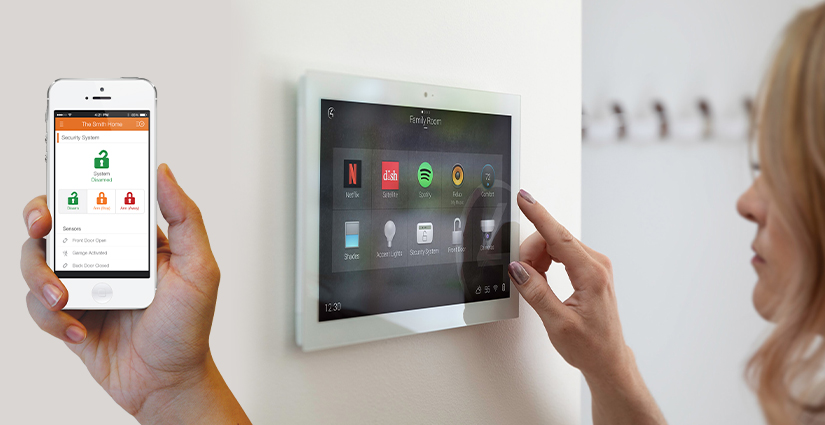
As connected devices become more common in daily life, the need for home cybersecurity for smart homes is more urgent than ever. From smart thermostats and lights to security cameras and voice assistants, these devices offer convenience but also introduce new risks. Without proper protection, your home network can become an easy target for hackers, potentially exposing your personal data and even allowing unauthorized access to your property.
Understanding the basics of digital safety for connected homes is essential for anyone looking to enjoy the benefits of smart technology without compromising privacy or security. This article will walk you through practical steps to secure your network, safeguard your devices, and maintain peace of mind in a rapidly evolving digital landscape.
For those interested in exploring the latest advancements in home protection, check out next-generation home security systems to see how modern features can further enhance your household’s safety.
Why Smart Homes Need Strong Digital Protection
Smart homes rely on a network of interconnected devices that communicate over the internet or local Wi-Fi. While these gadgets bring automation and efficiency, they also create multiple points of vulnerability. A single weak device can provide an entryway for cybercriminals, potentially compromising the entire network.
Common threats include:
- Unauthorized access to cameras, locks, or alarms
- Data theft from personal devices or cloud accounts
- Botnet attacks using compromised smart gadgets
- Malware infections spreading across devices
With the growing number of connected products in homes, taking a proactive approach to home cybersecurity for smart homes is no longer optional—it’s essential for protecting your privacy and property.
Securing Your Home Network: The Foundation of Digital Safety
The first step to defending your connected home is to secure your Wi-Fi network. Since most smart devices rely on this network, its strength determines the overall safety of your digital environment.
- Change Default Router Credentials: Always update the default username and password on your router. Default settings are widely known and make it easy for attackers to gain access.
- Use Strong Wi-Fi Encryption: Enable WPA3 encryption if available, or at least WPA2. Avoid outdated protocols like WEP, which are easily cracked.
- Set a Unique, Complex Password: Create a strong Wi-Fi password using a mix of letters, numbers, and symbols. Avoid using personal information or common phrases.
- Update Firmware Regularly: Keep your router’s firmware up to date to patch vulnerabilities that could be exploited by hackers.
- Enable Network Segmentation: If possible, set up a separate guest network for smart devices. This isolates them from your main network, reducing risk if one device is compromised.
By following these steps, you create a strong foundation for all other security measures in your smart home.
Protecting Smart Devices: Best Practices for IoT Security
Each smart device in your home is a potential entry point for cyber threats. To minimize risk, follow these best practices for device security:
- Change Default Passwords: As soon as you set up a new device, replace the default password with a unique, strong one.
- Keep Devices Updated: Regularly check for and install firmware updates from the manufacturer. Updates often fix security flaws.
- Disable Unused Features: Turn off services or features you don’t use, such as remote access or voice control, to reduce attack surfaces.
- Monitor Device Activity: Use your router’s admin panel or a network monitoring tool to keep an eye on connected devices and spot unusual activity.
- Purchase from Trusted Brands: Choose reputable manufacturers known for prioritizing security and providing regular updates.
By applying these habits, you can significantly reduce the likelihood of your smart home devices being compromised.
Advanced Strategies for Home Cybersecurity in Connected Homes
For those seeking an extra layer of protection, consider implementing advanced measures:
- Enable Two-Factor Authentication (2FA): Many smart home platforms now support 2FA, adding an extra step to verify your identity when logging in.
- Use a Firewall: A hardware or software firewall can help block unauthorized traffic and alert you to suspicious activity.
- Install Network Monitoring Tools: Solutions like energy monitors or smart network analyzers can help you track device usage and detect anomalies.
- Regularly Audit Devices: Periodically review all devices connected to your network and remove any that are no longer in use.
These proactive steps help ensure your smart home remains a safe and private space, even as new devices and technologies are added.
Staying Ahead: Trends and Resources for Smart Home Security
As technology evolves, so do the tactics used by cybercriminals. Staying informed about the latest trends and resources is key to maintaining a secure connected home. Consider reading about the future of home protection technology to understand what’s on the horizon and how you can prepare.
Additionally, proactive protection is crucial. For a broader perspective on safeguarding your digital life, explore this guide to proactive protection for practical advice on managing risks at every stage of life.
Don’t overlook other aspects of household safety, such as home hygiene protection systems or rodent detection for homes, which can complement your digital security efforts.
FAQ: Smart Home Cybersecurity Essentials
How can I tell if my smart home devices have been hacked?
Signs of compromise include devices behaving unexpectedly, settings changing without your input, unknown devices appearing on your network, or sudden drops in performance. Regularly monitoring your network and reviewing device logs can help you spot suspicious activity early.
Is it safe to use voice assistants and smart speakers?
Voice assistants can be secure if you follow best practices: change default passwords, keep software updated, disable features you don’t use, and review privacy settings. Always be cautious about what information you share with these devices.
What should I do if a device manufacturer stops providing updates?
If a device no longer receives security updates, it becomes more vulnerable to attacks. Consider replacing it with a newer model from a reputable brand that commits to ongoing support. In the meantime, limit its network access or disconnect it if possible.
Conclusion: Building a Safer Connected Home
Securing a smart home requires a combination of strong network defenses, vigilant device management, and staying informed about emerging threats. By taking these practical steps, you can enjoy the convenience of connected living while keeping your privacy and property safe. Remember, home cybersecurity for smart homes is an ongoing process—regular reviews and updates are key to maintaining a resilient digital environment.