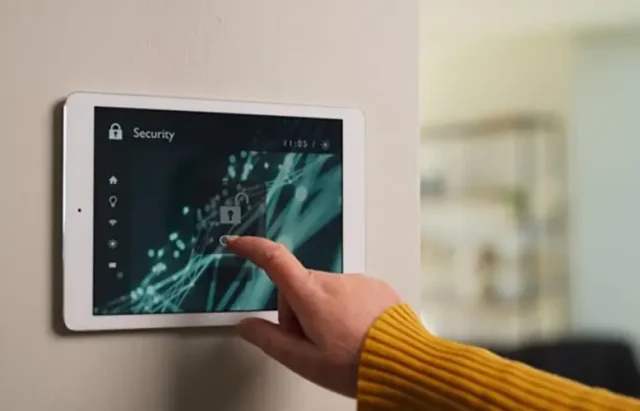
Modern households are increasingly turning to connected home protection systems to keep their families and property secure. These integrated solutions combine smart sensors, cameras, alarms, and automation to provide real-time monitoring and rapid response to potential threats. As technology advances, the process of setting up and managing these systems has become more streamlined, allowing homeowners to enjoy peace of mind without the hassle of complex installations or daily maintenance.
Whether you’re upgrading from a traditional alarm or building out a new smart home, understanding the components, benefits, and setup process of these advanced security networks is essential. In this article, we’ll explore how these systems work, what features to look for, and how to ensure your setup is both effective and easy to manage. For readers interested in the latest advancements, you may also want to learn about next-generation home security systems and how they compare to current offerings.
What Makes a Home Security Network “Connected”?
A connected home protection system links various security devices and sensors through a central hub or cloud-based platform. Unlike standalone alarms or cameras, these systems allow all components to communicate and coordinate responses. For example, if a door sensor is triggered, the system can automatically activate cameras, send alerts to your phone, and even turn on lights to deter intruders.
Key elements typically include:
- Smart door and window sensors
- Motion detectors and glass break sensors
- Indoor and outdoor cameras with live streaming
- Smart locks and garage door controllers
- Environmental sensors (smoke, CO, water leak)
- Centralized control via mobile app or voice assistant
The integration of these devices creates a unified defense system that can be managed remotely, customized for different routines, and updated as new threats emerge.
Benefits of Smart Security Integration
The primary advantage of a connected approach is seamless, all-in-one protection. Here are some key benefits:
- Real-time alerts: Receive instant notifications on your phone or smartwatch if something unusual is detected.
- Remote access: Check live camera feeds, lock doors, or arm/disarm your system from anywhere.
- Automated routines: Set schedules for lights, alarms, or cameras to activate when you leave home or go to bed.
- Scalable and customizable: Add new devices or sensors as your needs change, without rewiring or major upgrades.
- Integration with other smart devices: Connect with thermostats, lights, and even voice assistants for a truly smart home experience.
For those interested in how these systems are evolving, the future of home protection technology is focused on greater automation, AI-driven threat detection, and even more seamless user experiences.
Choosing the Right System for Your Home
Selecting the best solution depends on your home’s layout, your lifestyle, and your security priorities. Here are some factors to consider:
- Compatibility: Make sure the system supports your preferred smart home platform (e.g., Alexa, Google Home, Apple HomeKit).
- Wired vs. wireless: Wireless systems are easier to install and expand, while wired options may offer more reliability in large homes.
- Professional monitoring: Some setups offer 24/7 monitoring for a monthly fee, while others are self-monitored via app notifications.
- Expandability: Look for systems that allow you to add cameras, sensors, or smart locks as your needs grow.
- Privacy and data security: Choose reputable brands with strong encryption and clear privacy policies.
For a detailed breakdown of what to look for as a first-time buyer, check out this comprehensive guide to home security for new homeowners.
Step-by-Step Setup for Seamless Safety
Setting up a modern security network is simpler than ever, but a few best practices will ensure optimal performance:
- Plan device placement: Identify entry points, high-traffic areas, and vulnerable spots for sensors and cameras.
- Install the central hub: Place your hub in a central location with a strong Wi-Fi signal for maximum coverage.
- Connect devices: Follow manufacturer instructions to add sensors, cameras, and alarms to your network, usually via a mobile app.
- Customize settings: Adjust notification preferences, set up automation routines, and create user profiles for family members.
- Test the system: Trigger sensors and alarms to ensure everything is working as expected. Most apps provide a test mode for this purpose.
- Maintain and update: Regularly check for firmware updates and replace batteries as needed to keep your system running smoothly.
If you’re concerned about other home hazards, consider integrating solutions like home hygiene protection systems or rodent detection for homes for a more comprehensive approach.

Common Challenges and How to Overcome Them
While smart security networks offer many advantages, they can also present a few hurdles:
- Wi-Fi reliability: Weak or spotty connections can cause devices to go offline. Consider upgrading your router or adding range extenders.
- Device compatibility: Not all brands work seamlessly together. Stick to ecosystems that support a wide range of products or use open protocols like Zigbee or Z-Wave.
- False alarms: Pets, moving curtains, or even HVAC systems can trigger sensors. Adjust sensitivity settings and placement to minimize nuisance alerts.
- Privacy concerns: Always update default passwords and enable two-factor authentication to protect your system from unauthorized access.
If your home has unique features, such as a crawl space, you might benefit from specialized solutions like crawl space monitoring solutions to address specific vulnerabilities.
Expanding Your Smart Home Security Ecosystem
Once your core protection is in place, you can enhance safety and convenience with additional smart devices:
- Video doorbells: See and speak to visitors from anywhere.
- Smart lighting: Automate lights to simulate occupancy or respond to alarms.
- Energy monitors: Track power usage and detect unusual patterns that could indicate a problem.
- Environmental sensors: Add leak, smoke, or air quality detectors for broader protection.
The flexibility of these systems means you can start small and gradually build a comprehensive network tailored to your needs. As new devices and integrations become available, your setup can evolve without major overhauls.
FAQ: Connected Home Security Solutions
How secure are wireless home protection systems?
Wireless security networks use encryption and authentication protocols to keep your data safe. To maximize security, always use strong, unique passwords and enable two-factor authentication. Regularly update device firmware to patch any vulnerabilities.
Can I install a smart security system myself?
Many modern systems are designed for DIY installation, with step-by-step guides and intuitive apps. However, for larger homes or complex setups, professional installation may be beneficial to ensure optimal device placement and integration.
What happens if the power or internet goes out?
Most connected systems include battery backups for critical devices and can store event data locally if the internet drops. Some also offer cellular backup to maintain alerts and monitoring during outages.
Adopting a connected home protection system is a practical step toward a safer, smarter living environment. By understanding your options and following best practices for setup and maintenance, you can enjoy robust security with minimal hassle—today and as technology continues to evolve.