
Securing your home network is no longer optional—it’s a necessity. As more devices connect to our Wi-Fi, from laptops and smartphones to smart home gadgets, the risks of cyber threats grow. Router security for home networks is a foundational step in protecting your digital life. Weak router settings can expose your personal data, allow unauthorized access, and even compromise your smart home devices.
This guide walks you through practical actions to strengthen your home router’s defenses. Whether you’re a tech novice or an experienced user, these steps will help you reduce vulnerabilities and keep your network safe.
Before diving into the technical details, it’s worth exploring how router protection fits into the broader landscape of smart home safety. For those interested in upcoming trends, the future of home protection technology is evolving rapidly, with new solutions emerging to address both digital and physical threats.
Why Home Network Routers Need Protection
Your router acts as the gateway between your home and the internet. If it’s not properly secured, cybercriminals can exploit vulnerabilities to:
- Steal sensitive information such as passwords and financial data
- Hijack your internet connection for malicious activities
- Compromise smart home devices, including cameras and alarms
- Spread malware to all connected devices
Many attacks target default settings or outdated firmware. By taking a few proactive steps, you can significantly reduce these risks and ensure your home network remains private and secure.
Essential Steps for Router Security at Home
Improving router security for home networks doesn’t require advanced technical skills. The following measures are straightforward and effective for most households.
Change Default Login Credentials
Routers are shipped with default usernames and passwords, which are often published online. The first thing you should do is log in to your router’s admin panel and set a strong, unique password. Avoid using common words or easily guessable information. Use a combination of letters, numbers, and symbols for maximum protection.
Update Router Firmware Regularly
Manufacturers release firmware updates to patch security flaws. Check your router’s admin interface for firmware updates at least every few months. Many modern routers can be set to update automatically, which is the safest option.
Enable Network Encryption
Always use WPA3 or WPA2 encryption for your Wi-Fi. Avoid older protocols like WEP, which are easily cracked. Encryption scrambles data sent over your network, making it much harder for outsiders to intercept your information.

Disable Unused Features
Many routers come with features like remote management, WPS (Wi-Fi Protected Setup), or UPnP (Universal Plug and Play) enabled by default. Unless you specifically need these, turn them off. Disabling unnecessary services reduces the number of ways attackers can gain access.
Set Up a Guest Network
Allowing visitors to use your main Wi-Fi network can expose your devices to risk. Most modern routers let you create a separate guest network. This keeps your primary devices isolated from guests, limiting potential threats.
Monitor Connected Devices
Regularly check the list of devices connected to your network. If you see any unfamiliar devices, investigate immediately. Some routers offer mobile apps that make monitoring easy, sending alerts if new devices join your network.
Advanced Tips for Stronger Home Network Security
Once you’ve covered the basics, consider these additional steps to further enhance your router’s protection:
- Change the Default Network Name (SSID): Avoid using names that reveal your address or identity. A generic SSID makes it harder for attackers to target you specifically.
- Enable Firewall Features: Most routers include built-in firewalls. Make sure these are enabled to block unwanted traffic.
- Use Strong Wi-Fi Passwords: Your Wi-Fi password should be unique and complex. Avoid using the same password for multiple accounts or services.
- Consider Network Segmentation: For homes with many smart devices, segmenting your network can add an extra layer of security. Place IoT devices on a separate VLAN or guest network.
Integrating Router Security with Broader Home Protection
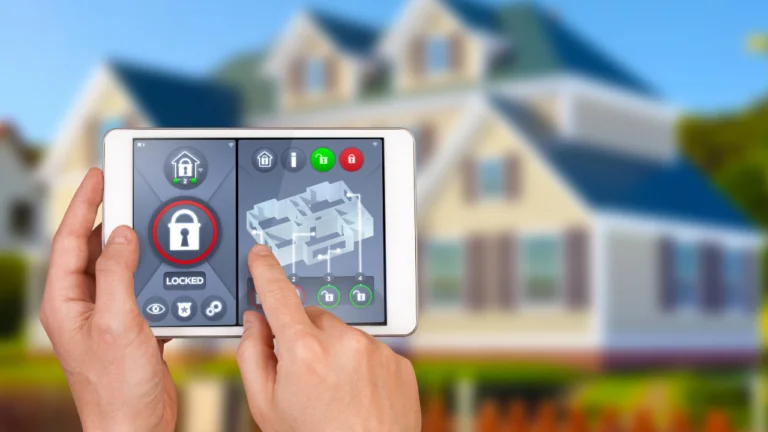
Securing your router is just one aspect of a comprehensive home safety strategy. Combining digital and physical security measures can offer peace of mind. For example, pairing strong network protection with modern alarm systems and energy monitors can help you detect issues early and respond quickly.
If you’re interested in learning about the latest features in smart security, check out the next-generation home security systems that are shaping the way we protect our homes. These systems often integrate with your network, making router security even more important.
Additionally, adopting a proactive approach to home safety goes beyond technology. For a broader perspective, see this guide to proactive home protection and risk management for practical steps you can take.
Common Mistakes to Avoid with Home Routers
Even with the best intentions, it’s easy to overlook certain aspects of router security for home networks. Here are some pitfalls to watch out for:
- Ignoring Firmware Updates: Outdated routers are prime targets for attackers. Always keep your device current.
- Using Weak Passwords: Simple passwords are easily guessed or cracked. Make yours as strong as possible.
- Leaving Remote Management On: Unless you need to access your router from outside your home, disable this feature.
- Not Checking Connected Devices: Unrecognized devices could indicate someone is piggybacking on your Wi-Fi.
By staying vigilant and reviewing your router settings regularly, you can avoid these common errors and maintain a safer home network.
Keeping Your Smart Home Devices Secure
Smart devices rely on your home network to function. If your router is compromised, so are your cameras, thermostats, and other connected gadgets. Here’s how to keep them safe:
- Update device firmware as soon as updates are available
- Use unique passwords for each device and service
- Disable features you don’t use, such as remote access or voice control
- Monitor device activity for unusual behavior
For more on maintaining a healthy home environment, you might also be interested in home hygiene protection systems that help keep your living space germ-free.
FAQ
How Often Should I Update My Router’s Firmware?
Check for updates at least every three months. If your router supports automatic updates, enable this feature to ensure you always have the latest security patches.
Is It Safe to Share My Wi-Fi Password with Guests?
It’s best to set up a guest network for visitors. This keeps your main devices isolated and reduces the risk of unauthorized access to your personal data.
What Should I Do If I See an Unknown Device on My Network?
Immediately change your Wi-Fi password and disconnect the unknown device. Review your router’s security settings and consider enabling device alerts if your router supports them.
Can Smart Home Devices Make My Network Less Secure?
Yes, poorly secured smart devices can introduce vulnerabilities. Always update their firmware, use strong passwords, and consider placing them on a separate network segment.
Are There Tools to Help Automate Home Network Protection?
Yes, some routers and third-party solutions offer automated security monitoring. For broader home automation, explore home maintenance automation tools that simplify upkeep and monitoring.
Taking these simple steps to improve router security for home networks will help you protect your privacy, your devices, and your peace of mind. Regularly reviewing your settings and staying informed about new threats ensures your home stays one step ahead of cyber risks.